

Choose an option to see quick actions and get help faster.
.svg)
Before You Pick Up the Phone: AC Troubleshooting Tips Every Central Virginia Homeowner Should Know
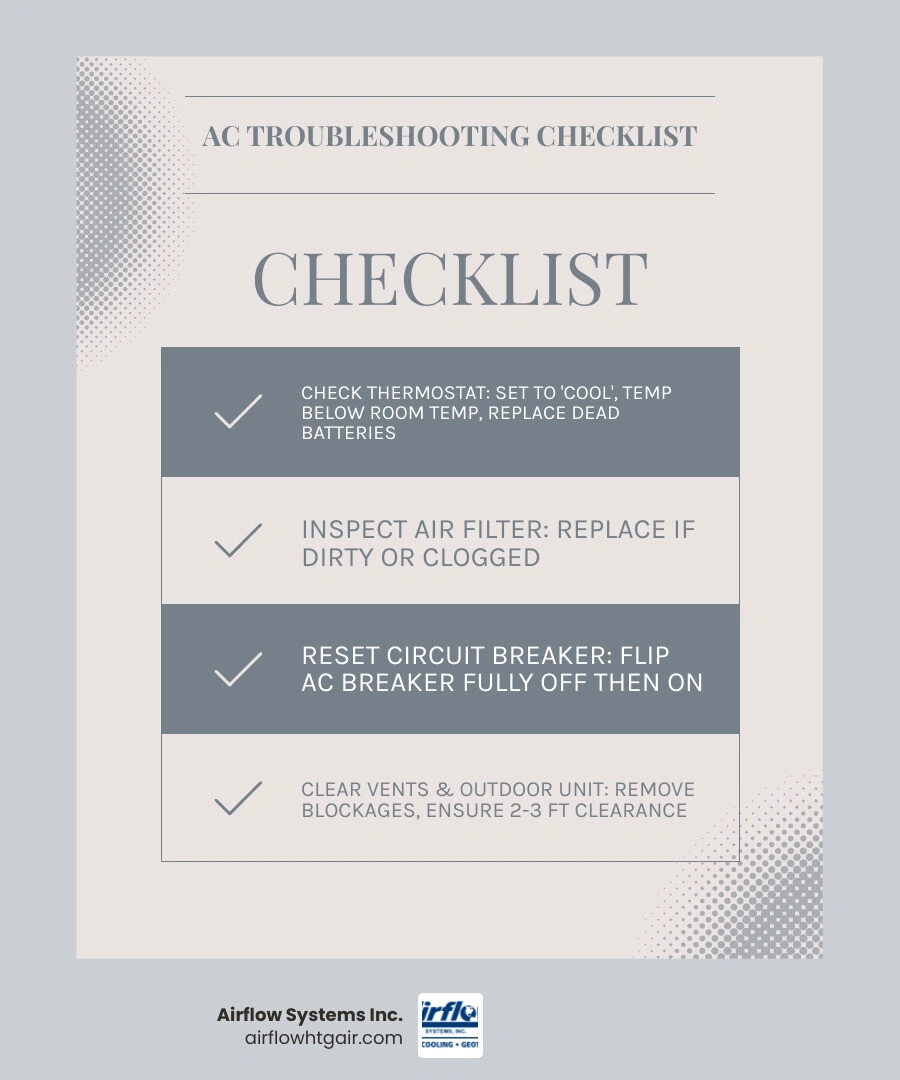
If you're looking for ac troubleshooting tips before calling a pro, here are the most common checks to run first:
1. Check your thermostat - Make sure it's set to "Cool," the temperature is below the current room temp, and the batteries aren't dead.
2. Inspect your air filter - A dirty filter is the single most common cause of AC problems. Replace it if it looks clogged.
3. Reset your circuit breaker - Locate your electrical panel, find the AC breaker, flip it fully off, then back on.
4. Clear the area around your outdoor unit - Remove leaves, grass, or debris within at least 2-3 feet of the condenser.
5. Check all vents and registers - Make sure none are blocked by furniture, rugs, or closed dampers.
6. Look for ice or water near the indoor unit - This can signal a frozen evaporator coil or a clogged condensate drain line.
7. Run fan-only mode - If coils appear frozen, turn off cooling and run the fan to thaw them safely.
Here in Central Virginia, April can be deceptive. One week you're opening windows, and the next you're reaching for the thermostat as the humidity rolls in and temperatures climb. For homeowners in Charlottesville and the surrounding region, that first hot day is often when an AC system reveals it has a problem — right when you need it most.
The good news? Not every AC issue requires an immediate service call. HVAC professionals consistently report that the vast majority of the calls they receive could have been avoided with a few simple checks. According to HVAC experts, nine out of ten central AC service calls trace back to something as straightforward as a dirty air filter. That's a fix most homeowners can handle in under five minutes.
This guide walks you through the most effective AC troubleshooting tips before calling a pro — so you can rule out the easy stuff, potentially save yourself a service call, and know with confidence when it really is time to bring in a professional.
Essential AC Troubleshooting Tips Before Calling a Pro

When your home starts feeling more like a sauna than a sanctuary, it’s easy to panic. However, many AC "failures" are actually just minor interruptions in the power supply or settings. Before you assume the worst, we recommend starting with the basics.
Your air conditioning system is composed of two main parts: the indoor air handler and the outdoor condenser. Both need power and proper communication to work together. If the outdoor unit isn't humming but the indoor fan is blowing warm air, or if nothing is happening at all, the solution might be just a few feet away at your electrical panel or thermostat.
If you find that your system needs more than a quick reset, AC Service in Leon, VA can help bridge the gap between a DIY check and a fully restored system.
Common ac troubleshooting tips before calling a pro for thermostat issues
It sounds almost too simple, but the thermostat is the "brain" of your HVAC system, and even brains have off days.
• Mode Check: Ensure the thermostat is actually set to "Cool." It is surprisingly common for a system to be accidentally switched to "Heat" or "Off" during spring cleaning.
• Temperature Gap: Set the cooling temperature at least 3 to 5 degrees below the current indoor room temperature. If the settings are too close, the system might not trigger a cooling cycle.
• Battery Power: If your thermostat screen is blank or flickering, replace the batteries immediately. Even if your system is hardwired, many units use batteries as a backup or to power the display.
• Fan Settings: Set your fan to "Auto" rather than "On." When set to "On," the fan blows air continuously, even when the AC isn't actually cooling, which can make the air feel warm and humid.
• Smart Updates: If you use a smart thermostat, check for any pending software updates or Wi-Fi connectivity issues that might be causing a glitch in the communication with your AC.
Verifying electrical and power connections
If the thermostat looks fine but the system won't kick on, it’s time to look at the power. Your AC pulls a significant amount of electricity, and sometimes it can trip a breaker—especially during those first few intense heatwaves in Charlottesville.
Start at your main electrical panel. Look for switches labeled "AC" or "HVAC." Even if a breaker doesn't look like it has moved, flip it all the way to "Off" and then firmly back to "On." If you have a separate outdoor disconnect switch (usually a small metal box mounted on the wall near your outdoor unit), ensure the handle or "pull" is firmly in place.
Sometimes, a system reset is all that's needed after a power flicker. However, if you've recently had an AC Installation in Brightwood, VA, and you're experiencing frequent trips, it could indicate an electrical load issue that requires a professional look.
Maintaining Proper Airflow and System Hygiene
Airflow is the lifeblood of your air conditioner. Without it, the system can't remove heat from your home, and the internal components will literally choke. As we mentioned earlier, a staggering 90% of AC problems are caused by restricted airflow, usually due to a dirty filter.
When airflow is blocked, your system has to work twice as hard to do half the work. This leads to higher energy bills, uneven cooling, and eventually, a total system shutdown. Regular AC Maintenance in Leon, VA is the best way to keep these passages clear, but there are several steps you can take today.
Inspecting and replacing the air filter
The air filter is usually located in a slot next to your indoor air handler or behind a large return air grille in your wall or ceiling.
• The Sight Test: Pull the filter out. If you can’t see light through it, or if it’s covered in a layer of gray "felt," it’s time for a change.
• Direction Matters: When inserting the new filter, look for the "Airflow Arrow" printed on the frame. It should always point toward the furnace or air handler unit.
• Frequency: In Central Virginia, we recommend checking your filter every 30 days. If you have pets or live near construction, you may need to replace it more frequently.
• MERV Ratings: Don't go too "heavy duty" without checking your system's specs. A filter with a very high MERV rating can sometimes be so thick that it actually restricts airflow in older systems.
If you can't remember the last time your filter was changed, an AC Tune-Up in Hood, VA can ensure your system hasn't suffered internal dust buildup from neglect.
Clearing vents and outdoor obstructions
Airflow isn't just about the filter; it's about the entire path the air takes. Indoors, ensure that supply registers (where the cold air comes out) and return vents (where the air is sucked back in) aren't blocked by curtains, rugs, or sofas. We recommend keeping furniture at least two feet away from any vent.
Outdoors, your condenser unit needs to "breathe" to release the heat it gathered from inside. Over the winter, leaves, tall grass, and mulch can pile up around the base.
• Indoor — Common Obstruction: Furniture/Rugs over vents — Recommended Action: Move items 2 feet away
• Indoor — Common Obstruction: Dust on registers — Recommended Action: Vacuum with brush attachment
• Outdoor — Common Obstruction: Leaves and twigs — Recommended Action: Clear a 3-foot radius
• Outdoor — Common Obstruction: Overhanging branches — Recommended Action: Trim back to 5 feet above unit
• Outdoor — Common Obstruction: Dirty Coils — Recommended Action: Gently hose off with water
Recognizing Signs of System Strain
Sometimes, the symptoms of an AC problem are visible to the naked eye. Two of the most common signs that your system is struggling are ice formation and water leaks. While your AC does remove humidity (which creates water), that water should be directed safely outside, not onto your floor.
Water-related issues account for nearly 90% of central air service calls. If you spot a puddle near your indoor unit, it’s a sign that the drainage system is failing. If you see ice on the copper lines, your system is literally freezing up. In either case, AC Repair in Etlan, VA may be necessary if the following DIY steps don't resolve the issue.
What are the best ac troubleshooting tips before calling a pro for frozen coils?
If you see frost or ice on the indoor evaporator coil or the copper pipes leading outside, your system has "frozen." This usually happens because the coil got too cold—either due to low airflow or low refrigerant.
1. Turn off the AC: Switch the thermostat to "Off" immediately. Continuing to run it can damage the compressor.
2. Switch Fan to "On": Turn the fan setting from "Auto" to "On." This will blow warm air over the coils to help them thaw.
3. Check the Filter: A clogged filter is the #1 cause of frozen coils. Replace it while the system thaws.
4. Wait: It can take several hours for the ice to melt completely. Do not attempt to scrape the ice off, as you could puncture the delicate coils.
5. Restart: Once the ice is gone and the filter is fresh, try running the AC again. If it freezes back up, you likely have a refrigerant leak that requires a pro.
Identifying drainage and moisture issues
Your AC doesn't just cool the air; it dehumidifies it. That moisture collects in a condensate pan and flows out through a PVC drain line. Over time, algae and "sludge" can clog this line.
• The Pan Check: Look at the secondary drain pan under your unit. If there is standing water in it, the main drain is clogged.
• The Float Switch: Many modern systems have a safety "float switch" that shuts the AC off if water backs up. If your AC won't turn on and you see water in the pan, this switch is doing its job.
• The Vacuum Fix: You can often clear a clog by using a wet/dry vacuum on the end of the drain line outside.
• Prevention: A cup of white vinegar poured down the drain line every few months can help prevent algae growth.
When to Call the Experts in Charlottesville
While we love empowering homeowners to handle the small stuff, some issues are simply unsafe or too complex for DIY. If you’ve checked the power, replaced the filter, and cleared the vents, but the system still isn't cooling, it's time to call in the cavalry.
You should stop troubleshooting and call a professional if you experience:
• Strange Noises: Grinding, metal-on-metal screaming, or loud banging. These often indicate a failing motor or a loose fan blade.
• Burning Smells: If you smell ozone or burning plastic, shut the power off at the breaker immediately. This is an electrical hazard.
• Short Cycling: If the unit turns on and off every few minutes, it’s putting extreme stress on the compressor.
• Frequent Breaker Trips: If the breaker trips again immediately after you reset it, do not try a third time. There is a short circuit that needs repair.
• Refrigerant Issues: If you hear hissing sounds or the system won't cool despite a clean filter, you likely need a leak repair and a recharge.
For complex issues or when it's time to consider an AC Replacement in Charlottesville, VA, our team is ready to provide an honest assessment. You can always Contact Us to get your home back to the right temperature.
Frequently Asked Questions
Why is my AC blowing warm air?
The most common reasons for warm air are a thermostat set to "Heat" or "Fan On," a tripped outdoor breaker (the indoor fan is blowing, but the outdoor cooling unit is off), or a severely clogged air filter. If those are fine, you may be low on refrigerant or have a faulty compressor.
How often should I change my air filter in Virginia?
In the Charlottesville area, we deal with heavy pollen in the spring and high humidity in the summer. We recommend checking your filter every 30 days. Most standard 1-inch filters should be replaced every 1 to 3 months. If you have pets that shed, monthly changes are a must to maintain indoor air quality.
What causes my AC to cycle on and off rapidly?
This is known as "short cycling." It can be caused by a thermostat that is placed too close to a supply vent (tricking it into thinking the room is cooled), a dirty air filter causing the system to overheat, or an oversized AC unit that cools the air too quickly without removing humidity.
Ready to see how we can help? Explore Our HVAC Services for everything from routine maintenance to emergency repairs.
Conclusion
At Airflow Systems Inc., we’ve been the trusted name for comfort in Charlottesville since 1988. As a family-owned and operated business, we know that your home’s comfort is about more than just a number on a screen—it’s about safety, reliability, and peace of mind.
While these ac troubleshooting tips before calling a pro can solve many common hiccups, your air conditioner is a complex piece of machinery. Regular professional maintenance is the single best way to prevent the "emergency" calls that happen on the hottest days of the year.
If your DIY checks didn't do the trick, or if you simply want the confidence that comes with a professional inspection, we are here for you. Schedule your professional AC service today and experience the honest, expert service that Central Virginia families have relied on for over three decades.
Book Expert Service Or Contact Us
Our Service Process
A Hassle-Free Service Experience
01
Consultation & Diagnosis
We start by listening to your needs and performing a thorough diagnosis of your system to recommend the best solution.
02
Transparent Quoting
We provide a clear, upfront estimate with no hidden fees, so you know exactly what to expect.
03
Expert Service & Follow-Up
Our factory-trained technicians complete the work to the highest standards, and we follow up to ensure your complete satisfaction.
testimonials
What Our Customers Are Saying
Our customers consistently praise our exceptional service and attention to detail, making us a trusted choice for all your HVAC needs.
where we operate
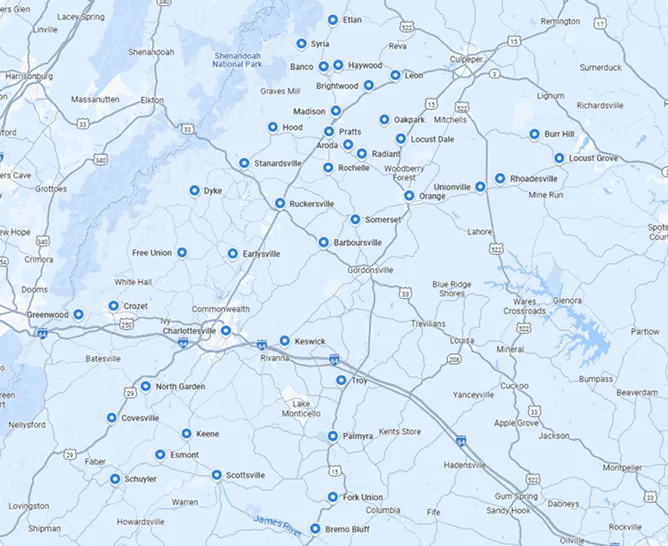
Service areas